Managing Multiple Locations & Review Profiles
If your business has multiple physical storefronts, departmental offices, or several Google Business Profiles for the same brand, you can manage them all from a single dashboard. To do this, you simply need to create additional Locations within your Organization.
🏢 What is a “Location”?
In our system, an Organization acts as the umbrella for your entire brand, while a Location represents an individual unit.
- Brick-and-Mortar: A chain of restaurants or a group of dental offices.
- Service Areas: Different regional branches (e.g., North Austin vs. South Austin).
- Departments: Separate Google profiles for “Sales” and “Service” within the same dealership.
By setting up separate locations, you can track performance metrics individually while maintaining a centralized bird’s-eye view.
🛠 How to Create a New Location
Follow these steps to expand your organization’s footprint in the dashboard:
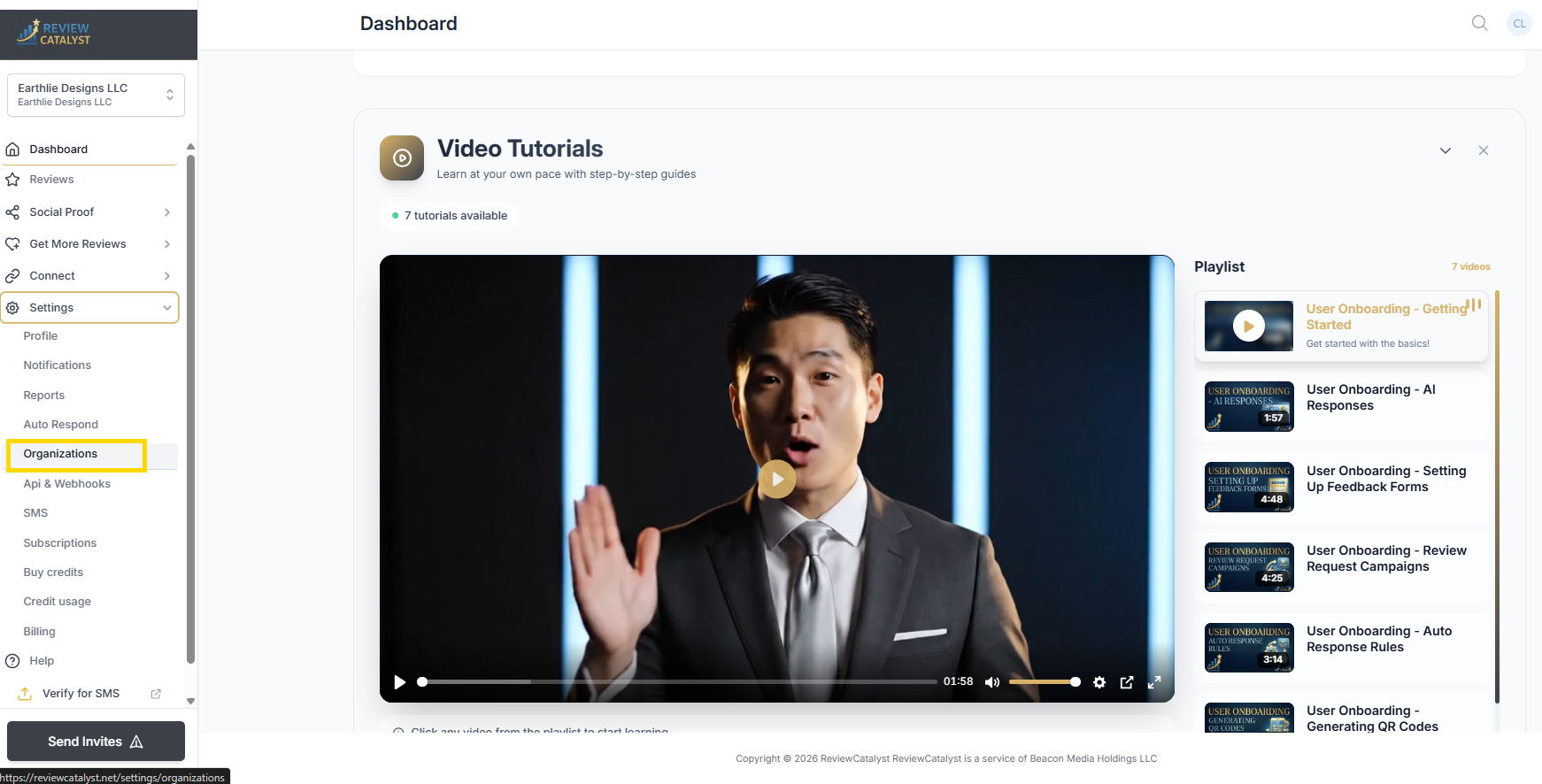
- Open Settings: Click on Settings in the bottom of the side menu.
- Access Organizations: Select Organizations from the left sidebar menu.
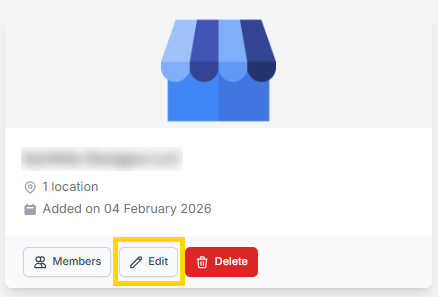
- Edit Your Organization: Click the Edit button (pencil icon) next to your primary organization name.
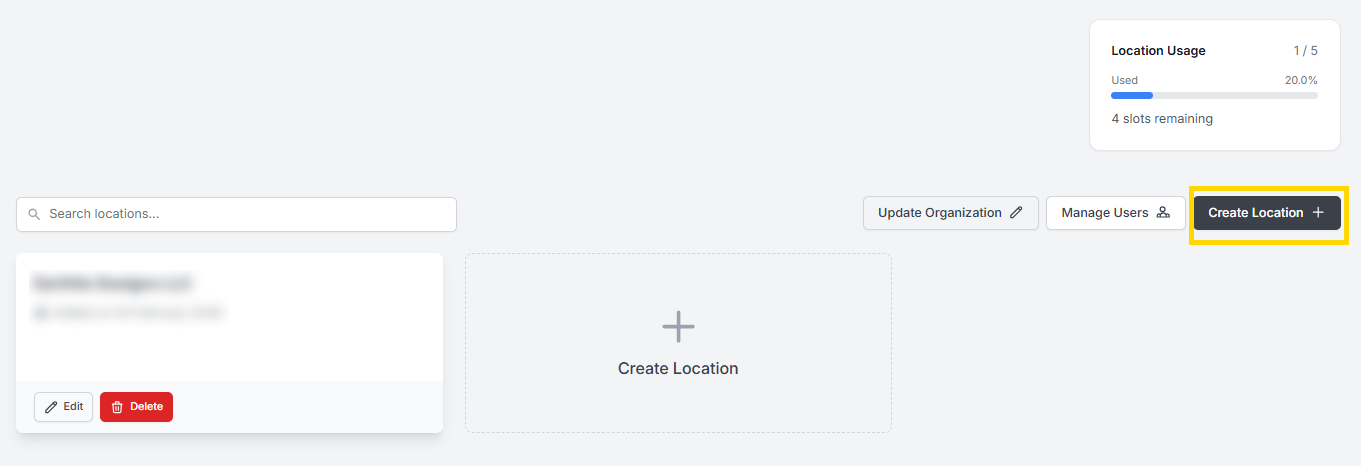
- Add a Location: You will see a list of your current locations. Click the “Create Location +” button.
- Configure & Save: Give your new location a clear name (e.g., Star Designs - Downtown) and click Create.
🔄 How to Switch & Connect Profiles
Once your new location is created, you need to toggle to it to connect its specific review sites:
- Switch Locations: Use the dropdown menu located at the very top of the sidebar. Ensure it is selected to show the new location you just created.
- Navigate to Connect: Click on Connect in the side navigation bar.
- Link Your Profiles: You can now connect a new Google, Facebook, or specialized review profile specifically for this location.
- Even if you already have a Google profile connected to “Location A,” this allows you to link a secondary Google profile to “Location B.”
💡 Why Use Multi-Location Management?
- Granular Analytics: See which specific store is thriving and which one needs more attention.
- Localized Reputation: Ensure customers are leaving reviews on the correct Google Map pin for the branch they actually visited.
- Staff Accountability: If you have different managers at different sites, you can assign them access only to their specific location.
- Cleaner Reporting: Keep your data separated so that a “bad day” at one branch doesn’t skew the success of your entire brand.
Was this article helpful?
Thanks for your feedback!