
Automate Review Requests Via API
While the BCC method is the quickest way to automate, our API (Application Programming Interface) is the most powerful. If your system doesn’t support BCC, or if you want to trigger Automated SMS review requests , the API is the best choice.
Our API works seamlessly with custom-built software or popular automation tools like Zapier, Pabbly, and Make.com.
Step 1: Create Your Access Token
To talk to our system, your external software needs a “key” or Access Token.
- Go to Settings in the sidebar navigation.
- Click on API & Webhooks.
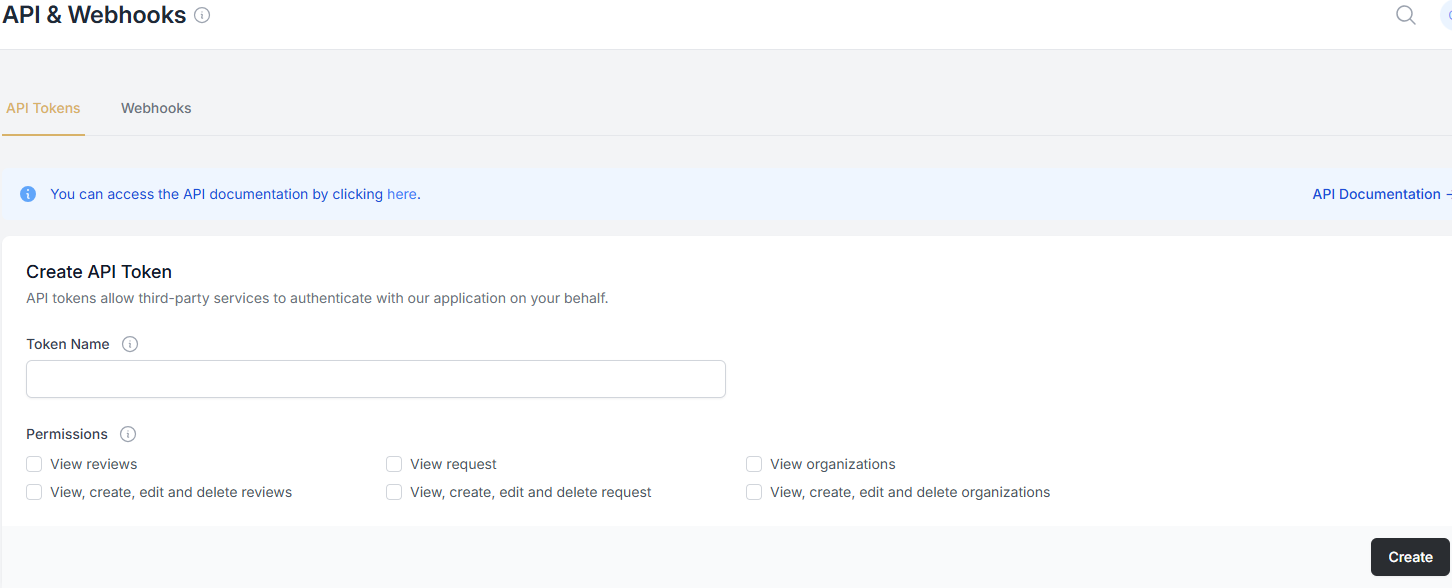 - Under Create API Token , give your token a descriptive name (e.g., “Shopify Integration”).
- Select the permissions: View, Create, Edit, and Delete Request.
- Click Create and copy the generated token immediately.
- Security Note: Store this token in a safe place. For your protection, we will not show this full code to you again.
Step 2: Identify Your Form ID
The API needs to know exactly which form to trigger.
- Go to Get More Reviews in the side navigation.
- Click on Feedback Forms (left sidebar).
- Find the form you want to automate and click Install.
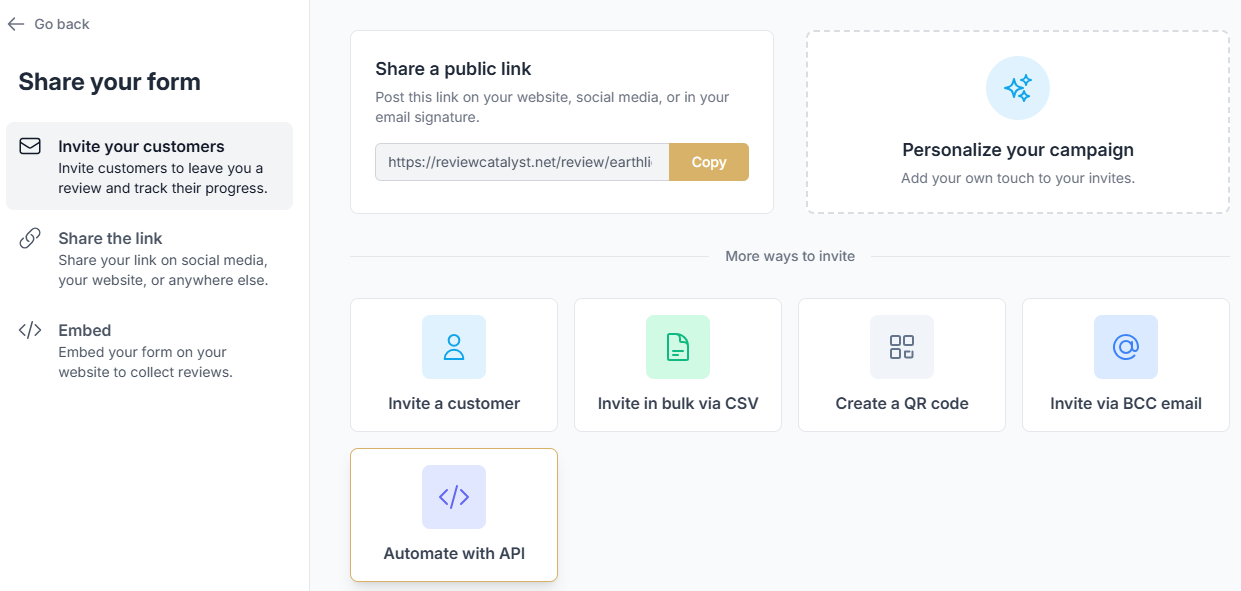
- In the pop-up, click the Automate with API button.
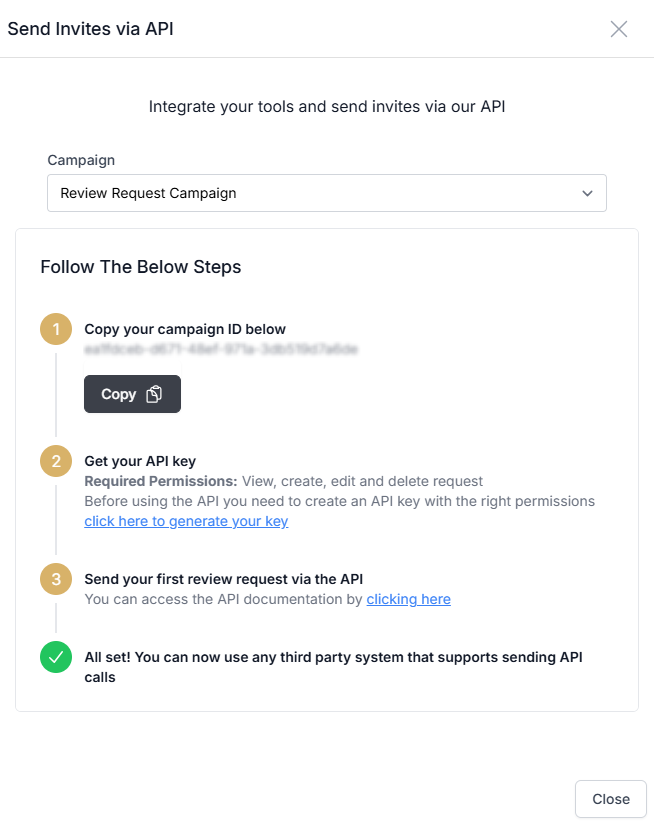
- Under the Send Invites via API section, copy the Campaign ID to your clipboard.
Step 3: Making Your First Request
Now that you have your Access Token and your Campaign ID , you are ready to connect your systems.
- For Developers: You can send a POST request to our review endpoint. This allows you to pass specific data like the customer’s name, email, and—most importantly—their phone number for SMS requests.
- For No-Code Tools: If you are using Zapier or Pabbly, you will use these two pieces of information to “Authenticate” the connection and tell the tool where to send the data.
Why choose API over BCC?
- SMS Automation: The API allows you to send phone numbers, which triggers SMS sequences that BCC cannot.
- Data Accuracy: You can pass the customer’s first and last name so the AI and templates can address them personally.
- Custom Triggers: Trigger reviews based on specific events in your CRM, such as “Deal Closed” or “Project Completed.”
Troubleshooting Tip: Check Your Permissions
If your test fails, double-check that your Access Token was created with “Create” and “View” permissions. Without these, the API will reject the request for security reasons.
Ready to dive into the technical details? Click here to access our Full API Documentation
Was this article helpful?
Thanks for your feedback!